Player support / Adventure recovery
How to Send Adventures
for Analysis or Recovery
If you need further analysis on your adventure or are trying to recover a lost one, follow these steps to send it directly from the game.
Accessing the hidden
Debug Menu
There’s a hidden Debug Menu in the game that allows you to retrieve adventure data. To access it:
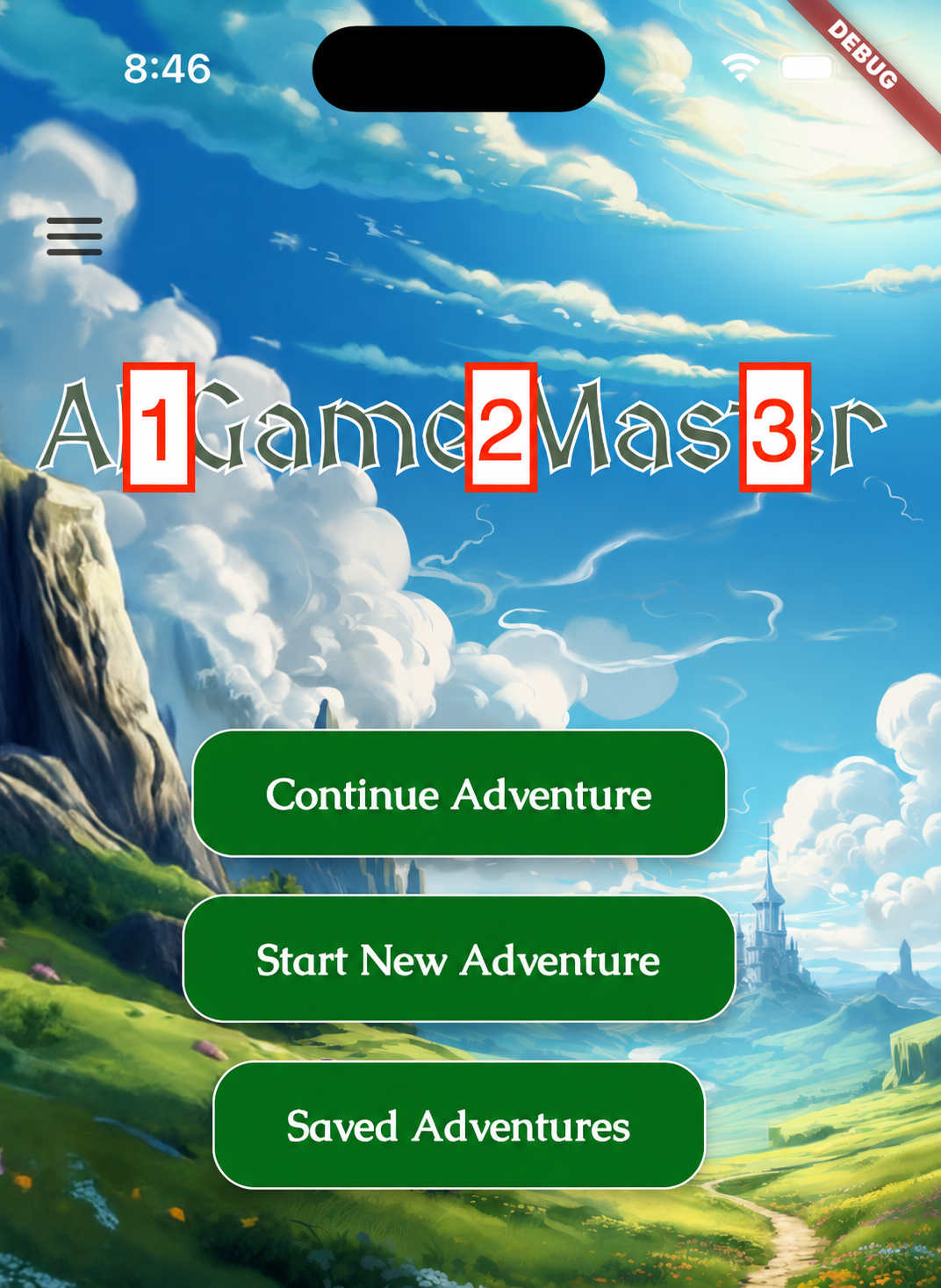
- Go to the main screen in AI Game Master.
- Tap the game title three times from left to right, as shown below.
Selecting the
Adventure to Send
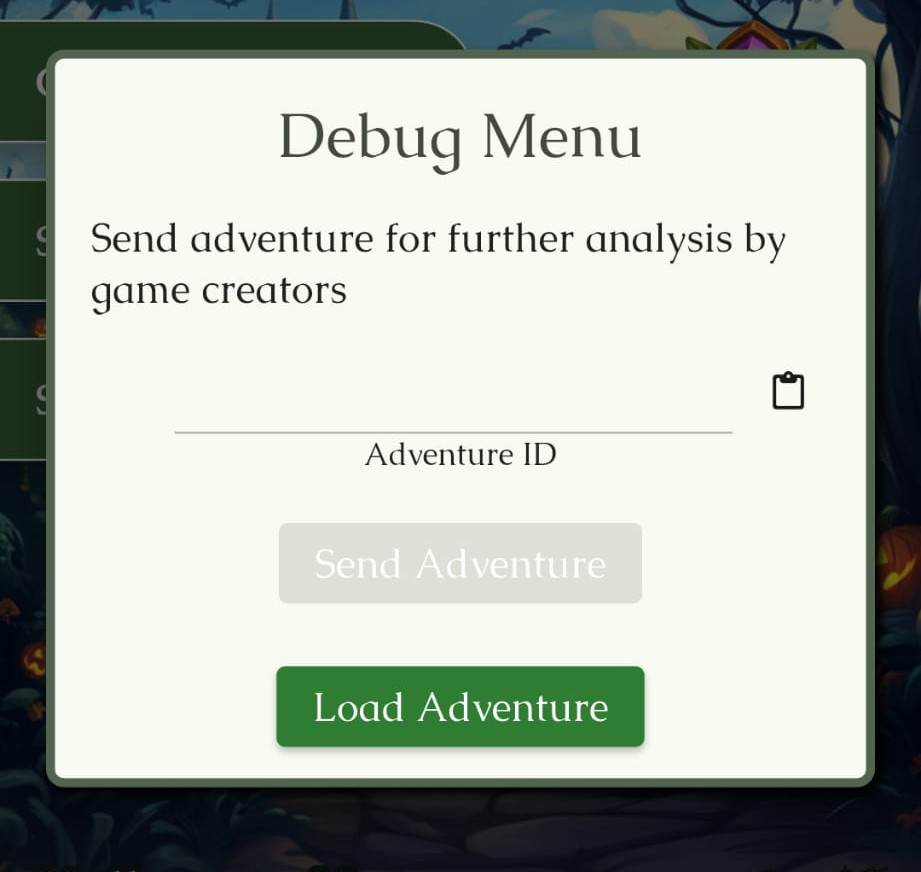
In the Debug Menu, you’ll be asked for the Adventure ID you want to send.
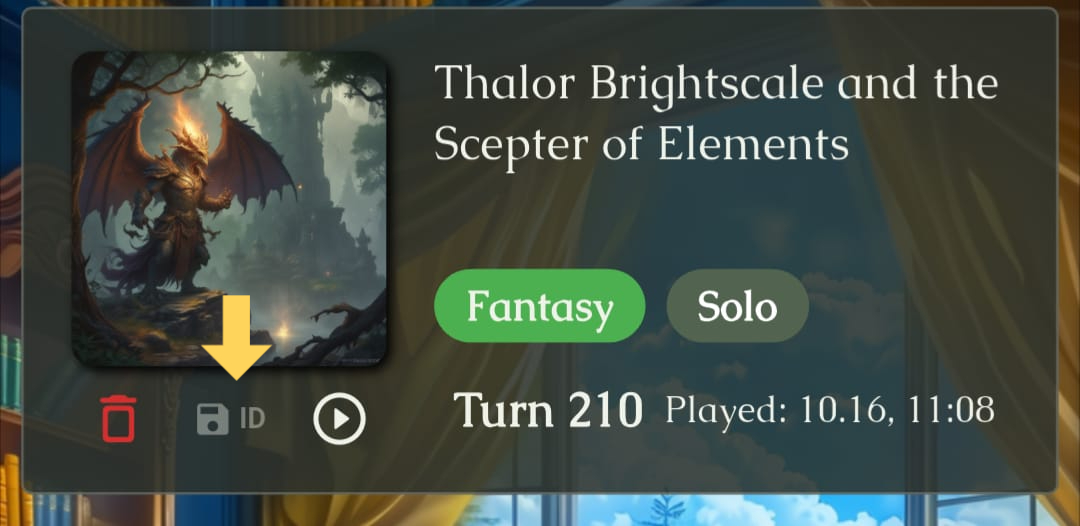
Find the adventure you want to send on the Saved Adventures screen. Copy its ID by tapping the ID control next to the save icon, then paste it into the Debug Menu.
Sending the
Adventure
- After pasting the correct Adventure ID, press Send Adventure.
- The data will be sent automatically for further analysis.
- Keep your device open and awake while the transfer completes.
What to
Expect
We’ll analyze the data and attempt to recover your adventure.
Sending an adventure shares the complete adventure with us for analysis. We try to inspect only what’s needed to debug the problem, and want to be clear about what is sent.
Our success rate for restoring lost adventures is around 30%, so recovery is not guaranteed. We’re actively working on a better backup system to prevent future issues.
Need a hand?
Thank you for your patience. If you need help with these steps, feel free to reach out.
Contact support ↗